The accounting platform with AI agents built in.
Ledger, invoicing, bills, banking, reporting and workflow automation in one system. AI agents find what needs attention, show the evidence, and a person decides. Offer it to your clients under your own brand, at your own prices.
Connects to Zoho Books and Odoo. Clients without a system keep their books on SmallERP.
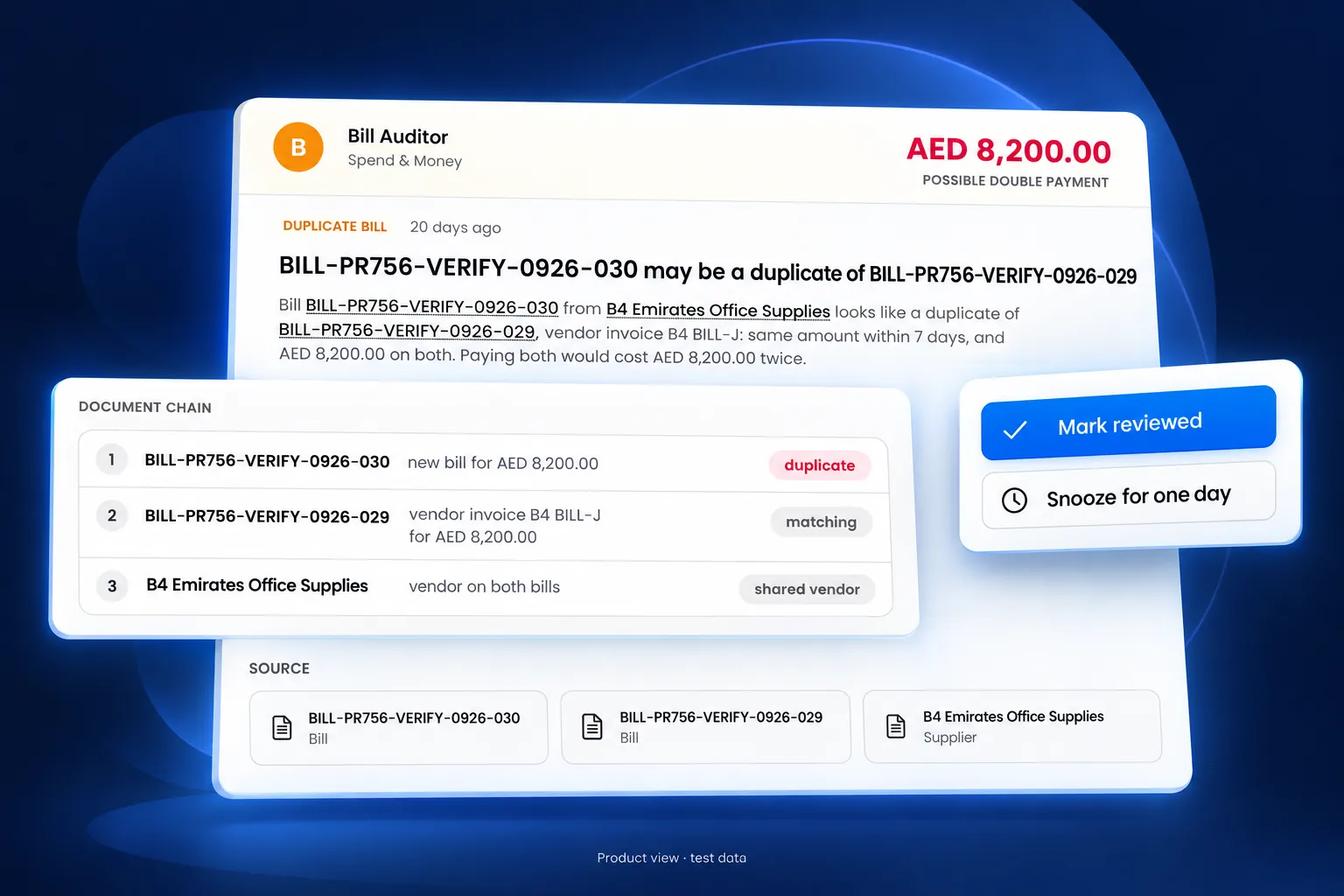
A Bill Auditor finding, as the reviewer sees it.
Everything a client's finance function runs on.
From the first quotation to the closed period, in one system.
A double-entry ledger, current every day
Invoices, bills, payments and bank lines post to the general ledger as they happen. Periods close and lock, and every change is recorded with the person who made it.
Start 30-day free trial- General ledger
- Chart of accounts and journal entries
- Trial balance and balance sheet
- Fiscal periods with period lock
- Multi-currency with exchange rates
- Audit log of every change
The operational modules around the books.
Inventory
Items, stock levels, warehouses, reservations and bulk import.
Contacts and leads
Customers, suppliers and leads in one contact list, with import from spreadsheets.
Projects and tasks
Projects with their own reporting, and tasks assigned across the team.
Websites and forms
A website built from templates, and forms with submissions and analytics.
Conversations
Customer conversations in one inbox, with a WhatsApp connection.
Roles and permissions
Roles decide who can view, create, approve and pay in each company.
Workflows that start on business events.
A workflow starts when a record changes, on a schedule, or from an inbound webhook. It runs the steps you set and stops for approval where you say so.
Visual workflow builder
Triggers, steps and branches on one canvas, with a template library to start from.
Event, schedule and webhook triggers
Start on a new invoice, a paid bill, a weekly schedule or a call from another system.
Email, WhatsApp, SMS and notifications
Send a message or notify a person as a step in the flow.
Records created by workflow
Create a record or a customer statement as a step, ready for review.
Approval steps
Any step can pause for a person to approve or reject before the flow continues.
Test before you turn it on
Run a workflow against a record and read the result before it goes live.
Agents find it and show the evidence. People decide.
Each agent watches a part of the books. When it finds something, it puts a card in the approvals inbox with the reason in plain English and the documents behind it. The reviewer marks it reviewed, snoozes it, or approves the draft. Nothing reaches the ledger without that decision.
Bill Capture
Turns a forwarded or uploaded supplier invoice into a draft bill, checked against the purchase order and earlier bills.
Bill Auditor
Finds duplicate bills and possible double payments, and shows the matching bills as evidence.
Invoice Chaser
Follows up overdue customer invoices: what is owed, how late it is, and which reminder is due.
Data Hygiene
Finds customers, suppliers, invoices and items with missing details, and lists them for correction.
Expense Auditor
Checks approved expenses for missing receipts and repeat claims. On SmallERP books.
Approvals inbox
Every draft, exception and decision on one screen, on the web and in the mobile app.
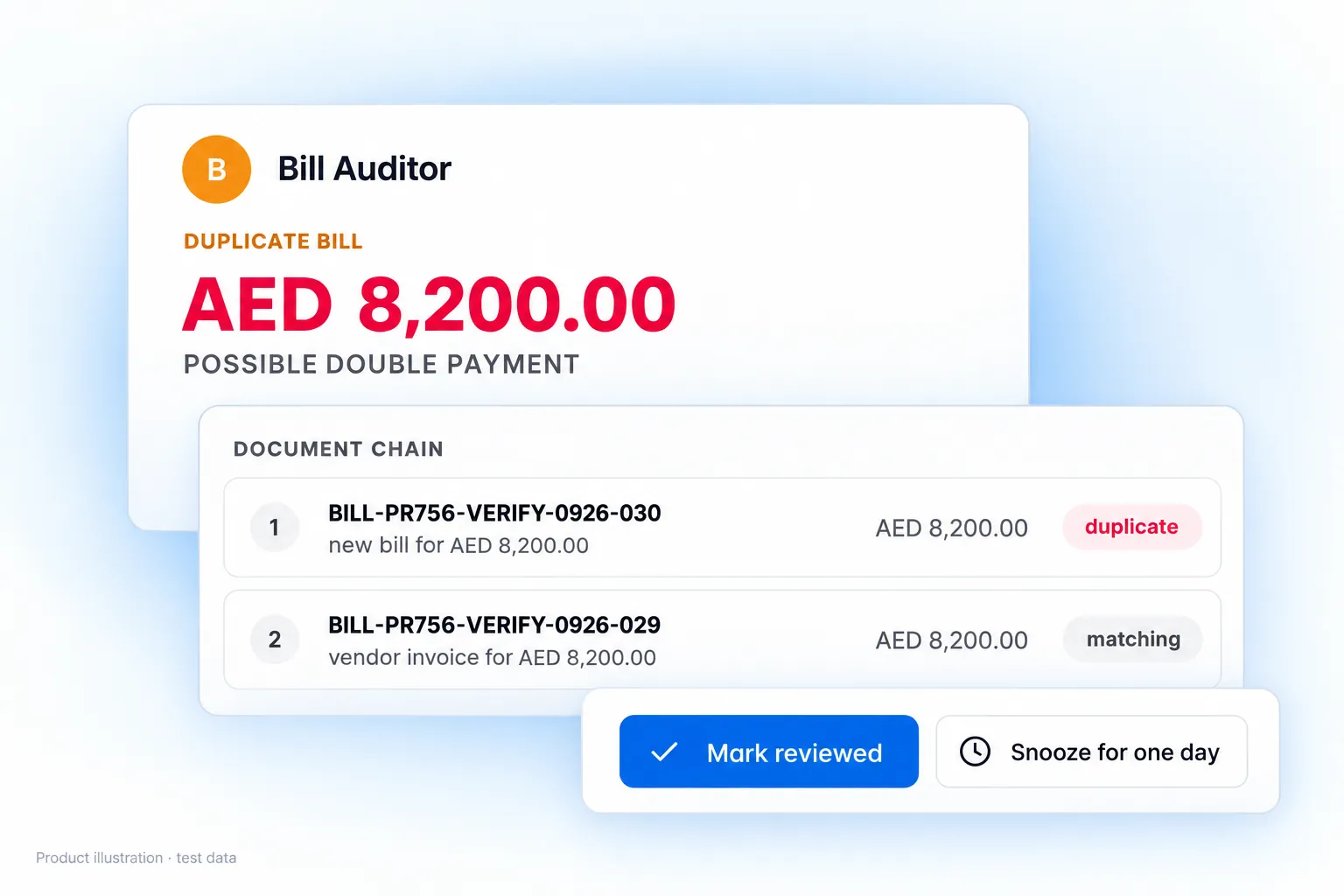
- The finding: a new bill that matches an earlier one from the same supplier, same amount within days.
- The evidence: both bills and the shared supplier, linked to their records.
- The decision: Mark reviewed, or Snooze for one day. Recorded with the reviewer's name.
One workflow, end to end: from a supplier's email to an approved bill.
A supplier invoice arrives
The supplier's invoice is forwarded by email or uploaded.
Cedarpoint Paper Co.billing@cedarpointpaper.exampleInvoice CP-20417CP-20417.pdf$1,284.00Bill Capture drafts the bill
Supplier, date, line items and total, with any exception it found.
Draft billBill Capture- Supplier
- Cedarpoint Paper Co.
- Date
- 12 Sep
- Copy paper, 40 boxes$920.00
- Toner cartridges, 6$364.00
- Total$1,284.00
Same amount paid to this supplier on 3 SepA reviewer approves or rejects
The draft appears as a card in the approvals inbox. A reviewer approves it or rejects it.
For approvalSupplier bill from Cedarpoint Paper Co.$1,284.00 · 1 exceptionSame amount paid to this supplier on 3 SepThe bill is recorded
In the client's books, on SmallERP, Zoho Books or Odoo.
Bill recordedApproved by the client's reviewer, 12 Sep
SmallERPZoho BooksOdoo
What an agent can and cannot do
- Reads customers, suppliers, items, invoices, bills, orders, payments and credit notes.
- Prepares work for review. It does not finalise anything.
- Writes bills only, after approval, and only on connections where writing is enabled.
- Records every decision with the name of the person who made it.
The books and the approvals inbox, on the phone.
An iOS and Android app for your team and your clients: invoices, bills, expenses, banking and the approvals inbox, with push notifications when a card needs a decision.
- Invoices, bills and expenses
- Banking
- Approvals inbox
- Contacts and conversations
- Push notifications
Works with the systems your clients already use.
Clients on Zoho Books or Odoo keep their system. Connect it from the Integrations screen, choose which record types to read, and the agents work on those books. Only a bill is written back, only after approval. Clients without a system take their books on SmallERP.
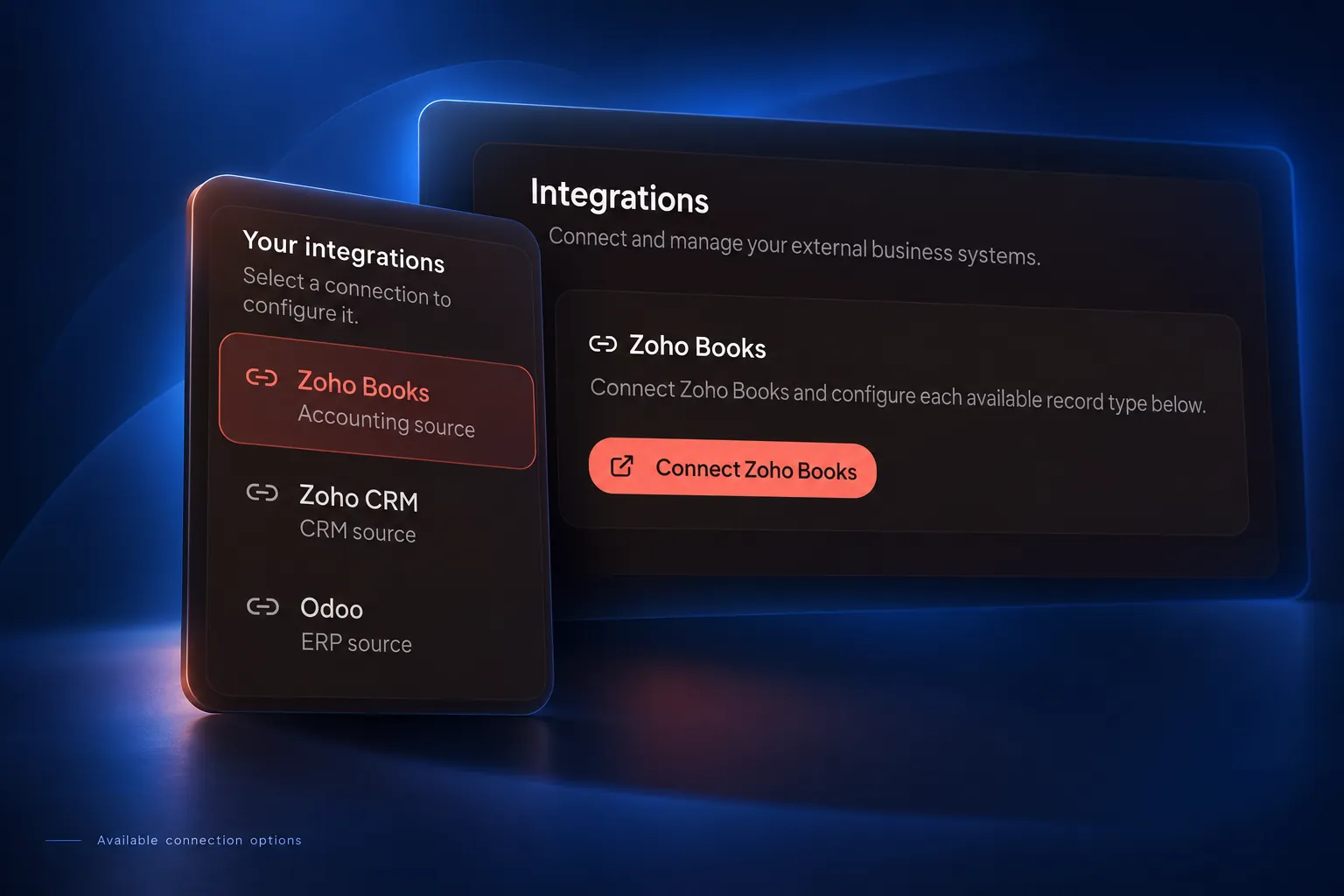
Agents on the system they already have.
- Agents read customers, suppliers, items, invoices, bills, orders, payments and credit notes.
- Every connection starts read-only.
- The only record written back is a bill, after a person approves it and after you enable writing for that connection.
- On Odoo, an approved bill can be posted. On Zoho Books, it is saved as a draft.
The full platform, under your brand.
- General ledger
- Invoicing and purchasing
- Banking and reconciliation
- Reports
- Workflows
- The same agents
Connections
- Zoho Books
- Odoo
- SMS (Twilio)
- Stripe
- Inbound webhooks
One subscription in place of the tools a client buys separately.
Each of these is a separate product with its own login, its own invoice and its own export. On SmallERP they share one ledger.
- Accounting softwareGeneral ledger, periods, audit log
- Invoicing and quoting toolQuotations, invoices, statements, ageing
- Bill capture and AP toolBill Capture, purchase order matching, payment runs
- Expense appExpenses with receipts, Expense Auditor
- Bank reconciliation add-onStatement import and reconciliation
- Reporting and spreadsheetsProfit and loss, balance sheet, cash flow, exports
- Workflow automation toolWorkflow builder with email, WhatsApp and SMS steps
- Collections remindersInvoice Chaser
- Inventory toolItems, stock, warehouses
- Forms and website builderWebsites and forms
Your brand on the platform. Your prices to your clients.
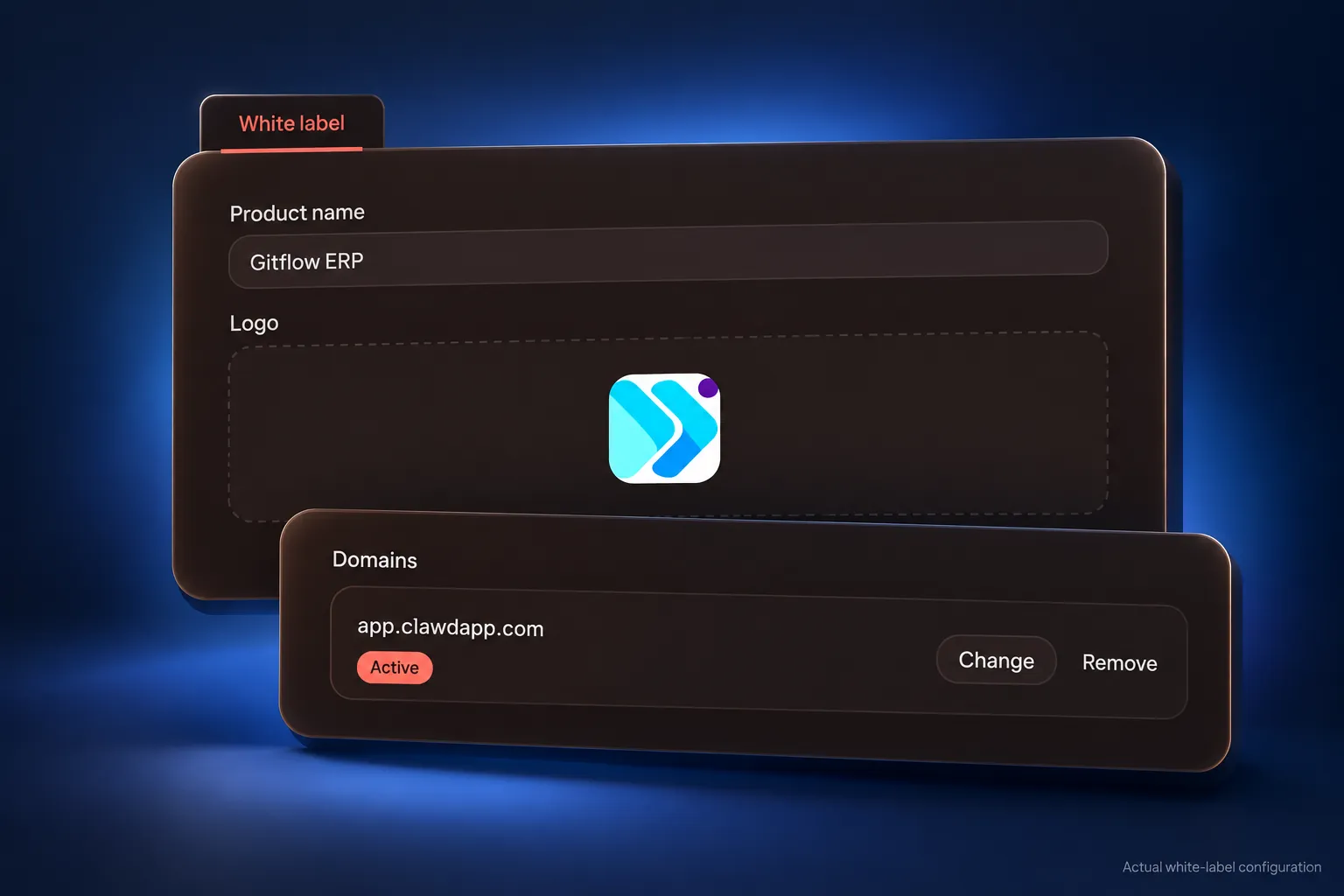
One agency account holds every client as a sub-account. Set the product name, upload the logo and connect your domain in White label settings; set the plans, the prices and the markup on AI; bill clients on your own Stripe account.
White label
Your product name and logo on the application, the sign-in page and every email your clients receive: invitations, password resets and notifications.
Your own domain
Add your domain in White label settings; once active, clients sign in on it. It signs in your team and your clients only.
A sub-account for each client
Each client has its own books, users and roles. Open any client from your agency dashboard.
Client billing on your Stripe account
Your plans and your prices, charged to your clients through your own Stripe account.
AI resold at your markup
Set a markup on the AI your clients use, across all clients or per client.
Approvals stay with people
Agents prepare the work. Your team or the client approves each change, and every decision is recorded with the name of the person who made it.
Three services a firm packages on day one.
Supplier invoices captured as draft bills, duplicate bills and double payments flagged with their evidence, every bill approved by your team. Bill Capture and Bill Auditor.
Overdue invoices followed up on the client's behalf. Invoice Chaser.
Records with missing details listed for correction; approved expenses checked for receipts and repeat claims. Data Hygiene and Expense Auditor.
Pricing
You pay SmallERP for an agency plan plus the AI your clients use, charged to your agency wallet at the platform rate. You decide what your clients pay: your plans, your prices and your markup on AI.
SmallERP Lite
SmallERP Lite
- 3 client sub-accounts
- Unlimited invoices + accounts
- Full inventory + purchasing
- Expenses tracking
- UAE eInvoice + VAT compliance + FTA reports
- Financial + revenue + invoice aging reports
- WhatsApp integration
- CRM + lead management
- Services, contracts, AMC
- Projects + task management
- Staff management
- Website + blog tools
SmallERP Pro
SmallERP Pro plan.
- Unlimited client sub-accounts
- White label: brand, theme and domain
SaaS Plan
Unlimited sub-accounts, white label and agent reselling.
- Unlimited client sub-accounts
- White label: brand, theme and domain
- Resell AI at your own markup
Nothing is charged today. Cancel any time before your trial ends and you pay nothing.
Start with one client
Choose one client and one workflow. Run it under your brand, review the results with them, then extend it to the rest of your client base.
Questions, answered.
See the platform on one of your clients.
Book the demo with a client in mind. It covers their books, the systems they use, the agents that fit, your brand and your pricing.